
How to clear the FiveM cache (client and server)
FiveM keeps copies of each server's resources so it does not download them every time you join. Most of the time that is good, but when a script was updated and you still see the old version, a map does not load or the game hangs while connecting, clearing the cache is the first step. There are two different caches: the player's (on your PC) and the server's (in the FXServer folder). Here is how to clear both.
Player cache (your PC)
- Close FiveM completely, including from the system tray (next to the clock).
- Press
Windows + R, type this path and press Enter:%localappdata%\FiveM\FiveM.app\data - You will see several folders. The cache folders are these three:
cacheserver-cacheserver-cache-priv(what you downloaded from each server: usually the biggest one)
- Rename them (for example
cache_old) or delete them. Renaming is safer: if anything goes wrong, give them their names back. - Leave every other folder and file in
FiveM.appalone. - Start FiveM and join the server. The first time takes longer, because it downloads the resources again.
Once everything works, you can delete the renamed folders to free up space.
Clearing the cache does not fix everything: it does not raise FPS by itself and it does not repair a broken server script, a client mod or a driver problem. Use it when the symptom points to old or damaged files.
Server cache (FXServer / txAdmin)
The server keeps its own cache folder inside your server data folder (the one with server.cfg and the resources folder). It holds the processed files the server sends to players.
To clear it by hand:
- In txAdmin, stop the server.
- Open the server data folder (with the txAdmin File Manager or on disk).
- Delete the
cachefolder. - Start the server. FiveM creates it again by itself.
FiveM rebuilds the files that change even if you delete nothing, so you do not need to do it on every restart. It helps most after updating several scripts, when players keep receiving old files.
Automatic and free: Rolo Cache Clean
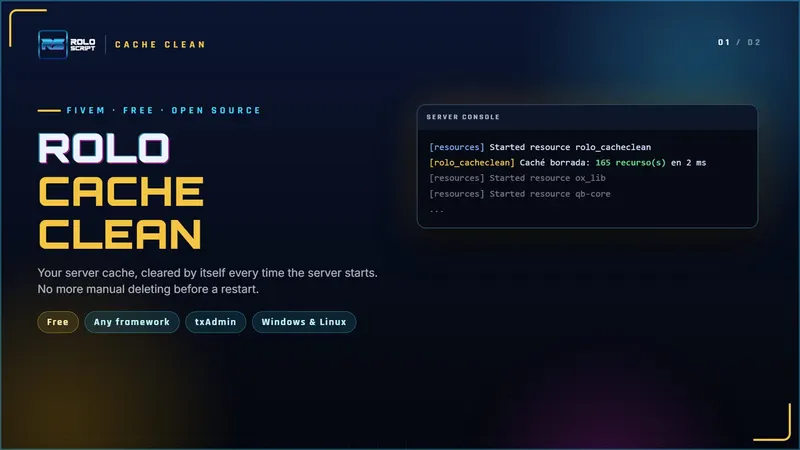
If you update scripts often, doing it by hand gets old. Rolo Cache Clean is a free, open resource that clears the server cache every time the server starts or restarts, txAdmin scheduled restarts included:
- It goes as the first
ensureinserver.cfg, so it clears the cache before the other resources load. - Three modes:
always(every start),next(next start only) andoff. - Switch modes from the console with
cacheclean <always|next|off>, no file editing. - It never touches the txAdmin monitor or resources that are already running.
- Works with any framework (or none), on Windows and Linux.
The full guide is in its documentation.
Quick answers
Do I lose anything when I clear the player cache? You do not lose your character or anything on the server: that lives in the server's database. Only the server files are downloaded again.
How often should I clear it? Only when there is a problem. Clearing it every time makes every connection slower.
What about the server cache? After updating scripts, or leave it on automatic with Rolo Cache Clean.
Write to us in the Discord support channel with the script, your framework and the console error.
More guides
How to install a FiveM script on QBCore or Qbox
How to install a FiveM script bought on Tebex: download from Cfx.re, server.cfg, start order, items, database and the most common errors.
What FiveM escrow is and what you can edit
Cfx.re asset escrow explained: which files are encrypted, what stays open, why "You lack the required entitlement" shows up and how you get updates.